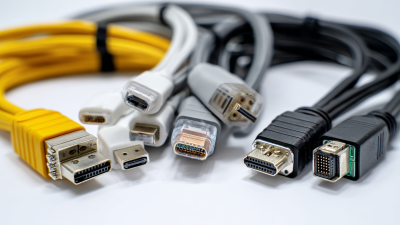
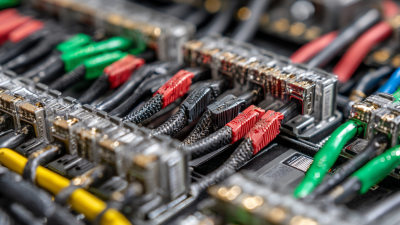
When it comes to tech stuff, picking the right connector cable can seriously make a big difference. Whether you're plugging in your phone, laptop, or other gadgets, the correct cable helps everything run smoothly. Honestly, a lot of folks tend to overlook this tiny but important detail, and that can lead to data hiccups or slow charging times. It’s kind of surprising how such a small component can cause so much hassle!
Think about your everyday tech setup—are you tired of tangled wires all the time? Or maybe you're annoyed because your data transfer feels painfully slow? More often than not, these problems come down to using the wrong or cheap cables. Brands like Anker and Belkin do make some really good options, but the choices out there can be pretty overwhelming—seriously, it's easy to get lost in the sea of cables.
Let's break down some common types—USB-C, HDMI, Lightning—each of these has its own purpose. Knowing which one you need is super helpful. If you pick the wrong type without checking, you might end up with a cable that doesn’t match your device, and that’s just frustrating. So, taking a moment to do some research beforehand can save you a lot of trouble later on. Honestly, going for quality over simply saving a few bucks on price is always the smarter move.

Types of Connector Cables: An Overview
Connector cables play a crucial role in the functionality of various devices. From smartphones to gaming consoles, these cables allow for data transfer and power supply. Different types of connector cables serve distinct purposes, presenting users with a range of choices. For instance, USB cables are ubiquitous, facilitating connections across countless devices. According to a recent industry report, USB-C cables are projected to dominate the market, particularly due to their versatility and speed.
HDMI cables are essential for audio-visual setups. They connect televisions to streaming devices and gaming consoles. Recent surveys indicate that HDMI cable sales increased significantly as more consumers upgrade to 4K displays. Shorter HDMI cables sometimes compromise signal quality; that’s a common oversight. Users often underestimate the importance of choosing appropriate lengths. Optical cables, on the other hand, provide high-quality sound for home theaters. They can transport digital audio signals without interference, yet many still opt for standard cables, missing out on superior sound quality.
RCA cables are a more traditional choice, commonly used in older devices. Many users cling to them, fearing change. This reluctance stems from familiarity rather than performance. Industry data suggests a gradual decline in RCA usage as newer technologies take over. However, for vintage audio enthusiasts, they remain irreplaceable. Such habits can hinder the overall experience if users don't adapt to advances in technology. Adjusting to newer connector cables may seem daunting, yet it often leads to improved device performance and connectivity.
Understanding Different Connector Cable Standards
When it comes to connector cables, understanding the various standards is crucial. Each type serves specific functions. USB, HDMI, and Ethernet cables are common. But can you tell them apart? It's not always easy.
USB cables come in different versions. The connectors vary, too. For instance, USB Type-A is common for computers. Type-C offers versatility, supporting fast data transfers and charging. Many people still confuse them. Remember: not all USB cables are equal.
HDMI cables connect your devices for high-definition video. They come in different categories: Standard, High Speed, and Premium High Speed. Knowing your needs helps in choosing the right type. Poor quality can ruin your experience.
Tip: Always check your device's compatibility before buying. The wrong cable can lead to frustration.
Ethernet cables are essential for networking. Categories like Cat5 and Cat6 offer different speeds. Choose based on your internet usage. Many make the mistake of getting the cheapest option.
Tip: Invest in good quality cables for better performance and longevity. Sometimes, cheaper cables cause issues. They can lead to slow connections.
Understanding these details makes a difference. Knowledge empowers you to make informed choices. Don’t underestimate the impact of a good connection. It's worth the time to learn.
Factors to Consider When Choosing Connector Cables
When choosing connector cables for your devices, several crucial factors come into play. The type of connector can significantly impact data transfer speed and device compatibility. A report from the International Data Corporation (IDC) indicates that over 80% of users experience issues due to incompatible cables. This highlights the importance of selecting the right type for your specific devices.
Another critical aspect is the length of the cable. Long cables may result in signal degradation. A study from the Consumer Electronics Association (CEA) revealed that 30% of users reported slower performance with longer cables. Users often overlook this detail when making purchases. Additionally, users should consider the cable’s material and build quality. Low-quality cables are prone to damage and may not last long. Investing in a durable option can save money in the long run.
Cost is also a consideration. While cheaper cables might be tempting, they often compromise performance. A survey showed that 45% of users regretted opting for less expensive options. Inconsistent performance can lead to frustration. Users may need to reassess their choices. Selecting the right connector cable is more complex than it seems, requiring a careful balance of these factors.
Common Connector Cable Types for Audio Devices
When choosing connector cables for audio devices, it's vital to understand the types available. Common options include auxiliary cables, RCA cables, and optical cables. Each has unique features that cater to different needs.
Auxiliary cables are compact and versatile. They connect smartphones, tablets, and laptops to speakers or car audio systems. However, they can degrade in sound quality over time. It's essential to use high-quality materials for a better experience.
RCA cables are popular in home theater setups. They carry audio signals and can connect various audio sources. But they often require multiple cables for stereo sound, which can become messy.
Optical cables offer a different approach. They transmit digital audio using light. These cables can achieve high sound quality without interference. But, keep in mind that they can be fragile and must be handled with care.
Tips: Always check the specifications of your devices. This ensures compatibility. Don't hesitate to invest in good-quality cables for the best audio performance. Regularly inspect and replace old cables to maintain sound clarity.
Connector Cables for Video and Multimedia Applications
Choosing the right connector cables for video and multimedia applications is crucial. Various options cater to different devices and setups. HDMI is widely used for high-definition video. It provides a single cable solution for video and audio. But, it may not always be the best choice for every setup. Consider the distance of your connection. HDMI has limitations over long runs.
DisplayPort is another good alternative. It handles high resolutions well and can also daisy chain multiple monitors. However, some devices may not support it. VGA, once the standard, is now dated but can still be found in older systems. Do not underestimate its role in simple setups.
Tips: Make sure to assess the cable length you need. Longer cables can lead to signal loss. Check compatibility with your devices before purchasing. It saves time and frustration. If you're unsure, consult your device manuals for guidance. Each connection type serves different purposes, and matching them correctly can enhance your multimedia experience.
Best Connector Cable Types to Choose for Your Devices
| Connector Type |
Best Used For |
Max Resolution |
Cable Length Options |
Notes |
| HDMI |
Televisions, Monitors, Projectors |
Up to 8K |
1m - 10m |
Supports audio and video in one cable |
| DisplayPort |
PC Monitors, High-End TVs |
Up to 8K |
1m - 3m |
Great for gaming setups |
| USB-C |
Smartphones, Laptops, Tablets |
Up to 4K |
0.5m - 2m |
Supports data transfer and charging |
| VGA |
Older Monitors, Projectors |
Up to 1080p |
1m - 15m |
Analog signal; may need adapters |
| Composite Video |
Older TVs, Cameras |
Standard Definition |
1m - 5m |
Single RCA connector for video |
| RCA |
Home Theater Systems, Record Players |
Standard Definition |
1m - 10m |
Used for audio and video connections |
Connector Cables for Data Transfer and Networking
When it comes to data transfer and networking, choosing the right connector cable can make a significant difference. Various types of cables serve specific purposes. For instance, USB cables are common for transferring files between devices. They are convenient and easy to use. However, not all USB cables are alike. Some are designed for faster data speeds, while others offer charging capabilities only.
Ethernet cables are another essential type. They facilitate wired internet connections, ensuring stable speeds for gaming or streaming. It’s vital to select the right category of Ethernet cable. Higher categories support greater speeds but may be uncovered if too long. Keep in mind, installing them improperly can lead to poor performance.
**Tips:** Ensure the cable length suits your setup. Longer cables may degrade performance. Always check the specifications before purchasing. Compatibility is key; not all devices work with every connector. Sometimes, a cheaper cable lacks durability. This can lead to future frustration.
Specialized Connector Cables for Charging and Power Supply
When choosing specialized connector cables for charging and power supply, understanding the different types is essential. USB-C stands out due to its versatility. It supports data transfer, video output, and rapid charging. However, the various models can be confusing. Not all USB-C cables deliver the same power. Make sure to check the specifications before purchasing.
Another popular option is the Lightning connector. This type is well-known for its efficiency and compact design. It offers quick charging capabilities and clear data transfer. Yet, the connectors may wear out over time. Users often find themselves replacing them more frequently than expected. Regular inspection of these cables can help avoid sudden failures.
Then there are more specialized options like DC connector cables. These are often used in larger devices like monitors or routers. While they provide stable power, their compatibility can vary greatly. It's crucial to ensure you choose the right size and voltage. Mismatching these elements can lead to device damage. So, users need to remain vigilant when selecting cables for their equipment.
Best Connector Cable Types for Charging and Power Supply
FAQS
: Techniques help improve efficiency and effectiveness in various tasks.
Assess your goals and challenges. Try different approaches to see what works best.
Yes, many rush into implementation without proper planning, leading to failures.
Regularly assess its effectiveness. A technique may become outdated or ineffective over time.
Absolutely! Adapt techniques to fit your unique needs and preferences for better results.
Analyze the reasons for its failure. It’s okay to try multiple methods before finding the right one.
Not always. Adjusting techniques creatively can sometimes lead to better outcomes than strict adherence.
Feedback is vital. It offers insights for improvement and can guide your next steps.
Conclusion
Connector cables play a crucial role in connecting various devices, making it essential to understand their types and standards. The article provides an overview of different connector cable types, detailing critical factors to consider when selecting the right cable for your needs. It highlights common cables used in audio applications, as well as those suited for video, multimedia, data transfer, and networking.
Additionally, the discussion includes specialized connector cables designed for charging and power supply, emphasizing their importance in everyday technology use. By understanding the various connector cable types and their purposes, users can make informed decisions about which connectors best suit their devices and applications, ensuring optimal performance and compatibility.